How a deal works
The lifecycle of a deal from the buyer's side — configuration and quotes, gates, signatures, payment, provisioning, and what happens when the seller's pricing changes mid-deal.
Live. The whole journey below works today: discovery, starting, email verification, deal tokens, choosing variables (currency included), quotes, gates and approvals, the NDA's signing ceremony, human signatures above the seller's threshold, orders, contracts and built-in e-signature, payment through the seller's Stripe, the provisioning callback, and the deal's event log. The decided design the page describes is the deployed one.
A deal is one purchase in progress with one seller. This page walks the whole lifecycle from your side of the table — whether you work the deal yourself in the checkout UI, or your agent works it through the same API. (The vocabulary — deals, quotes, gates and the rest — is defined in core concepts.)
The short version#
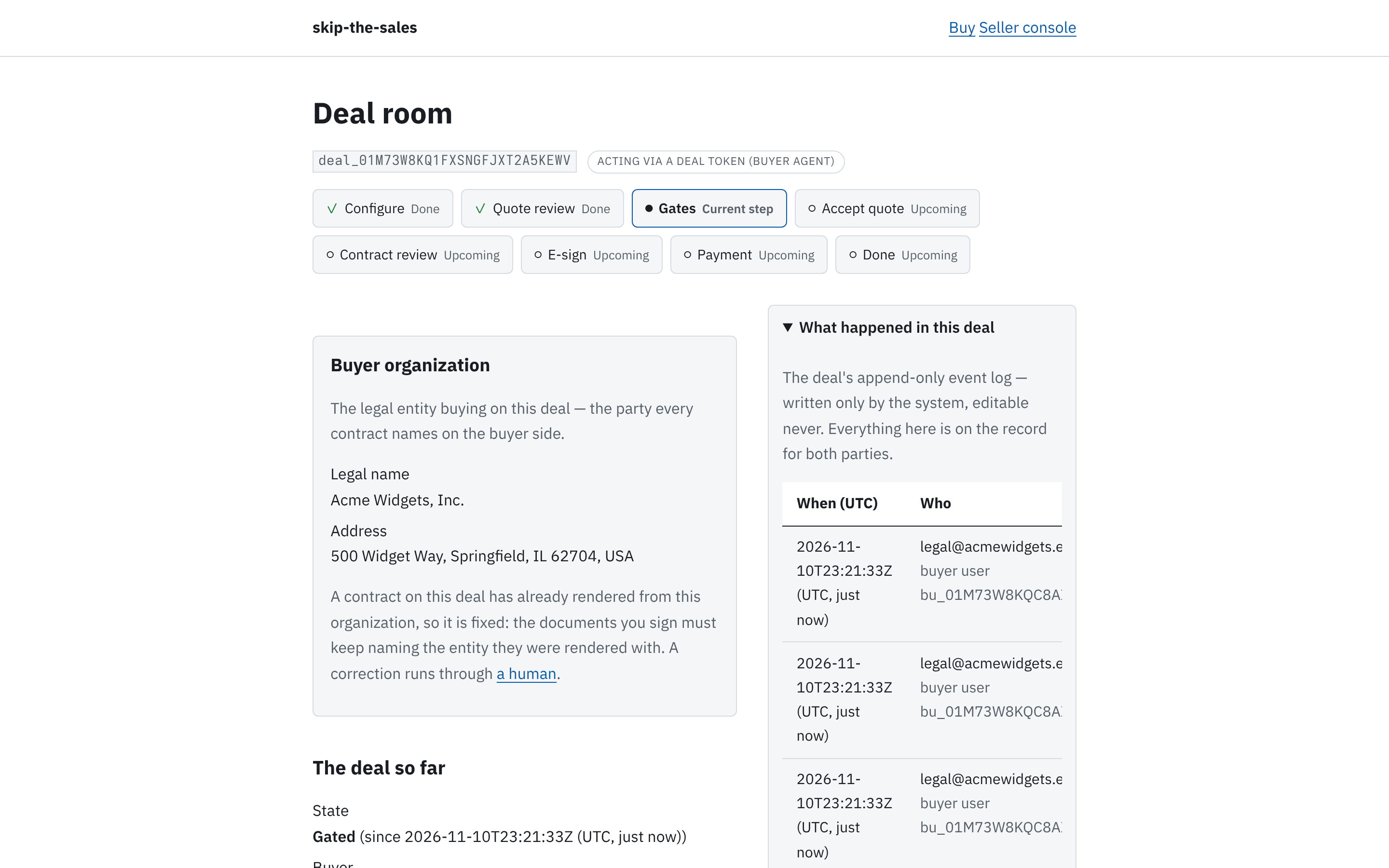
- You (or your agent) open a deal URL: a private, expiring link to exactly one deal.
- You choose the offer's variables: seats, term length, hosting model, currency, and so on.
- You generate a quote: a deterministic, priced snapshot of your current choices. The same choices always produce the same quote — change nothing, pay the same.
- You pass the seller's gates in order: sign an NDA, run the approval chain, verify a payment method, get a human signature when the seller requires one for the deal size. Gates a bearer credential may satisfy, your agent can; the seller's policies say which need a human session.
- You accept a quote. That acceptance is the order — what you are committing to buy — and the deal moves to signing. Documents are generated from the terms you saw and go out for e-signature — our built-in one is live today; a seller's own external provider is forthcoming.
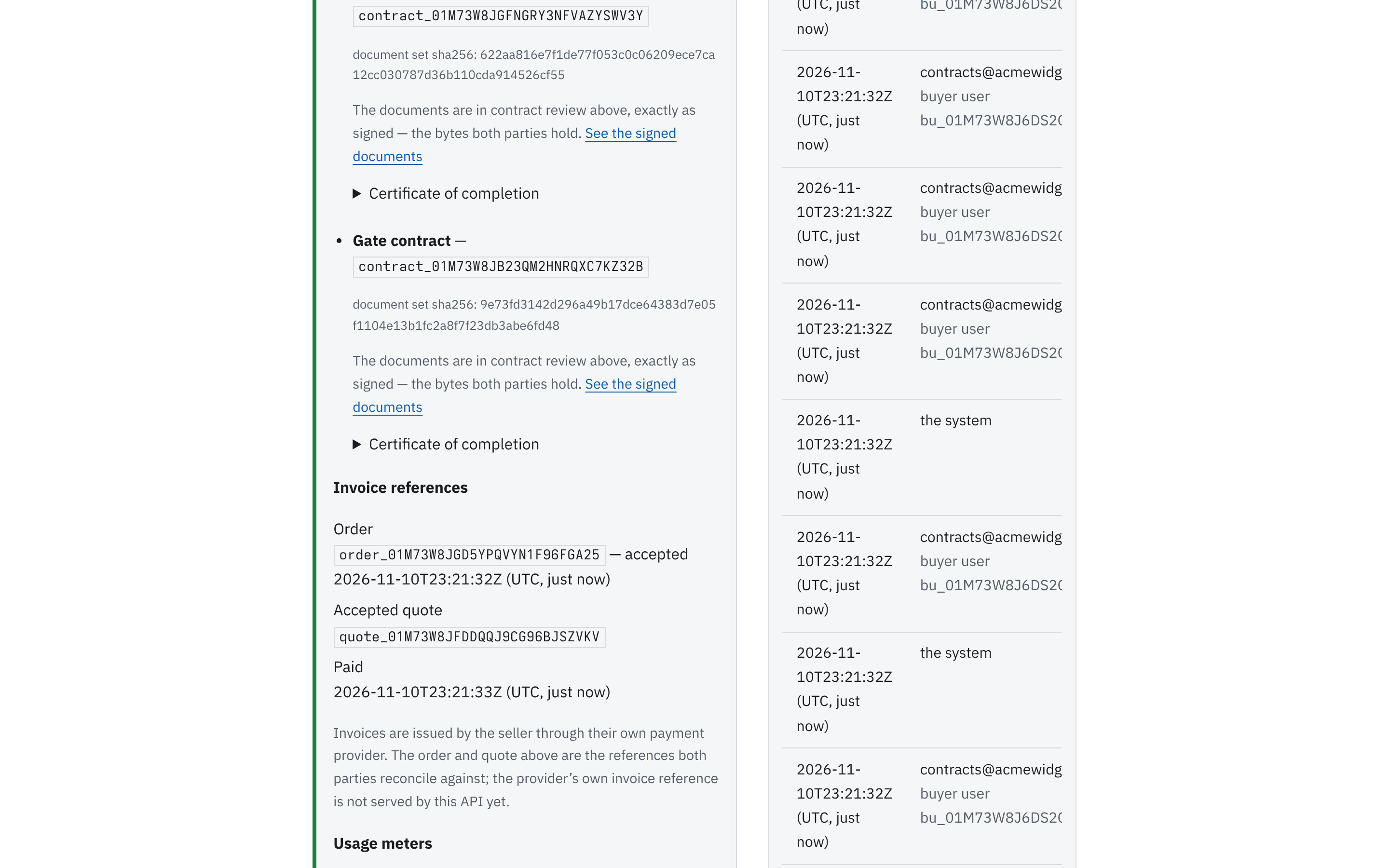
- You pay, through the seller's own Stripe account. Money never moves through us.
- The seller provisions your account, and confirms it through the API. The deal closes when the seller's done-condition — their configured combination of signed, paid and provisioned — is fully satisfied.
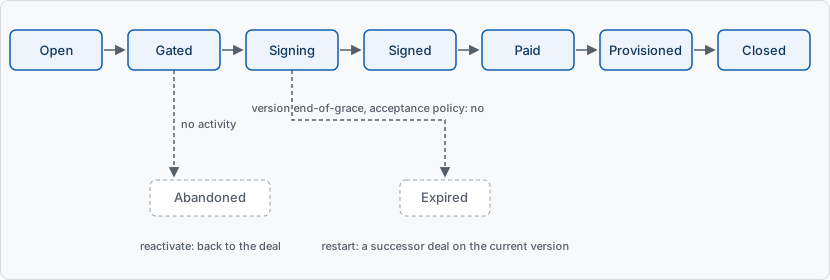
The diagram is simplified: payment always precedes provisioning, and a seller whose done-condition skips "paid" goes straight from signed to provisioned.
Gates#
Gates are the seller's safeguards, configured up front — not exceptions improvised by a sales team mid-deal. Common gates:
- an NDA, signed through the same built-in e-signature;
- the approval chain: the ordered people on your side who must approve (in a small deal, that may be just you);
- payment-method verification;
- a human signature when the deal is large — the seller's gate policy says where the threshold sits (for example, a human signature above $15,000/yr).
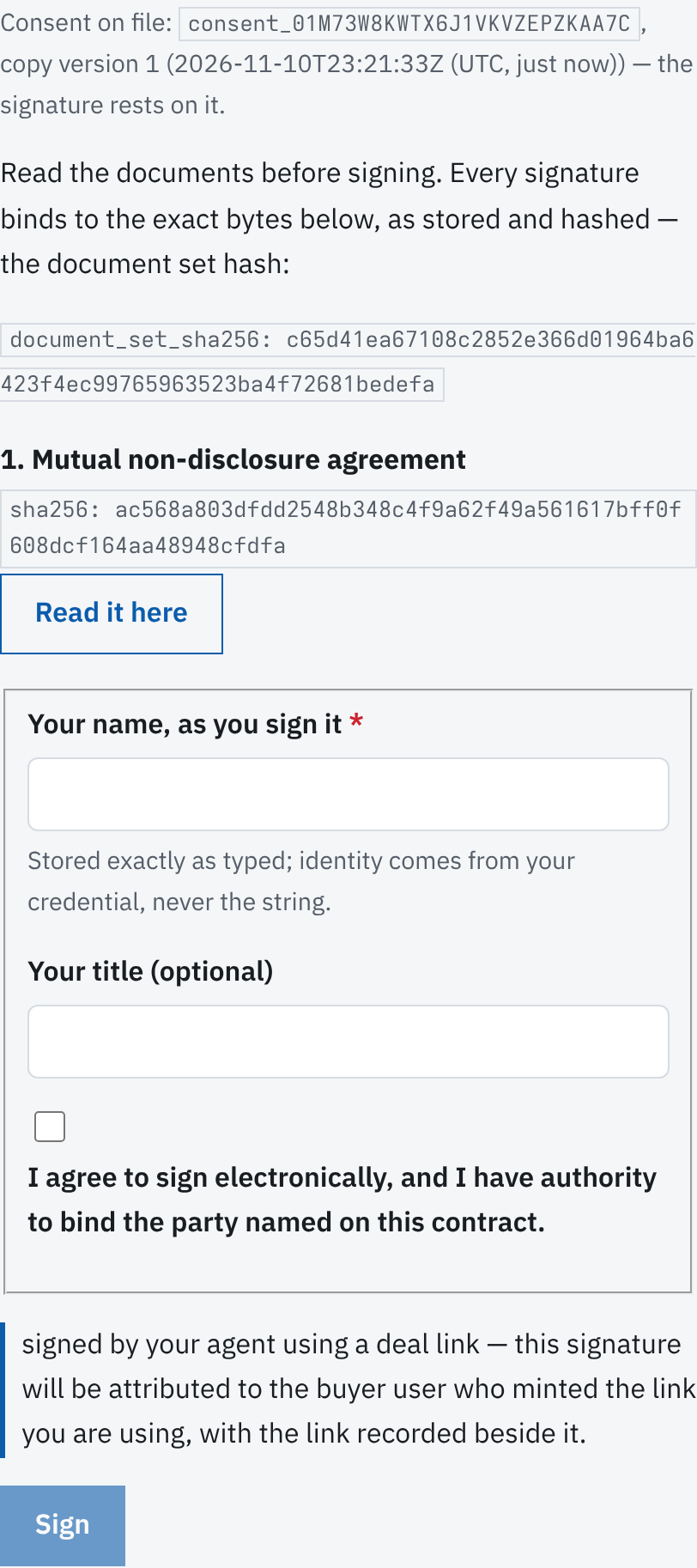
Your quotes list the gates your choices require, each with its policy — whether a human must satisfy it (always, never, or above a per-currency threshold your quote's annualized total reads). Engaging a gate and running its approval chain is live through the API today — your agent's path — and the deal room grows the same controls as the checkout UI catches up; a gate the policy reserves for a human says so and points at escalation. And that is always contract: every gate has a way to a human. If something cannot be satisfied the normal way, you escalate: hand the deal, or one question in it, to a person. Escalation is always one action away, for you and for your agent.
One rule about changes: a redline — any change to the seller's terms that isn't one of the pre-approved alternatives they configured — always goes to a human, no matter how small it looks.
Nobody changes the rules under you#
Your deal is pinned to the configuration version it started on: the exact snapshot of prices, terms, templates and gates you saw when you began. If the seller publishes a new version while your deal is in flight, you are informed, not blocked: the deal continues on the pinned version through a seller-configured grace period (14 days by default), and the deal document always shows how much grace is left.
During that window you can:
- continue as-is, and finish on the terms you started with;
- rebase onto the seller's current version — always your choice, never automatic. Rebase shows you a diff filtered to what affects your choices, re-quotes you under the new version before you commit, and carries over the gates whose inputs didn't change. Signatures already in flight do not carry over, so rebase is unavailable once signing has started;
- escalate a question about the new version to the seller's humans.
If the grace period ends with the deal still open, the seller's version acceptance policy decides, and you always see which one applies:
always— the seller honors your original terms to the end. Nothing changes.human-confirm— the expiry clock pauses and a person on the seller's side decides: honor the old version, or move you to the current one. You are never blocked while that decision is pending.no— the old version is not honored past grace. See below.
Expiry and restart#
Under policy no, the deal expires. That is not a dead end:
- Restart: one action creates a successor deal on the seller's current version. Your variable choices carry over; you see the same diff and a fresh quote before anything is committed. Gate progress does not carry over, and the expired deal stays readable forever, linked to its successor for audit. A restart needs a fresh deal URL.
- Escalate: ask the seller's human to honor the old version anyway. An explicit, audited decision by the seller can still do it.
If the version expires while documents are out for signature, no contract has formed yet: signatures already collected are void, every signer is told plainly, and the successor deal restarts collection on fresh documents. Once all signatures are in, the contract exists — and it is pinned to its version forever. Later changes to the seller's configuration never touch a signed contract; both parties can retrieve the exact agreed terms for as long as the account exists.
Going quiet#
A deal with no activity for a seller-configured number of days (30 by default) is marked abandoned — distinct from "expired", and just as recoverable. Reactivating restores the deal where it was, and version policy re-applies as usual. A quiet deal parked by inactivity is never silently deleted.
Your keys to the deal#
The deal URL is how you (and your agents) reach the deal. It carries a deal token:
- Expiring: absolute expiry, set when the link is minted — 72 hours by default; the seller can configure their tenant up to a maximum of 30 days. The deal document shows each live token's expiry before it fails.
- Revocable: immediately, by anyone holding the deal's write power — the requester, or the seller. Revoking a token never affects the deal itself.
- Several at once: you can hold multiple live links — one per person or agent — revoked independently. Minting a new one never disturbs the others.
- A delegation: a token never exceeds the roles of the buyer user who minted it. If your agent's link expires or is revoked, recovery is one magic-link login away: sign in and mint a fresh one.
An expired or revoked token never changes the deal's own state. Tokens are about access; the deal lives on.
When you want a human#
At any point in the lifecycle — a question about terms, a gate that can't be satisfied, a version change you want to discuss — you can escalate to a person. Where that request goes is the seller's configuration: their team, or ours if they have bought escalation support (the tenant settings name the recipients). Escalation is live today through the API — your agent escalates, the seller's humans answer through the escalation response API, and their console inbox grows the same controls as the UI catches up — and the record is forever: every action on a deal lands in the append-only event log, readable by both parties' humans.